
Scheduling and coverage
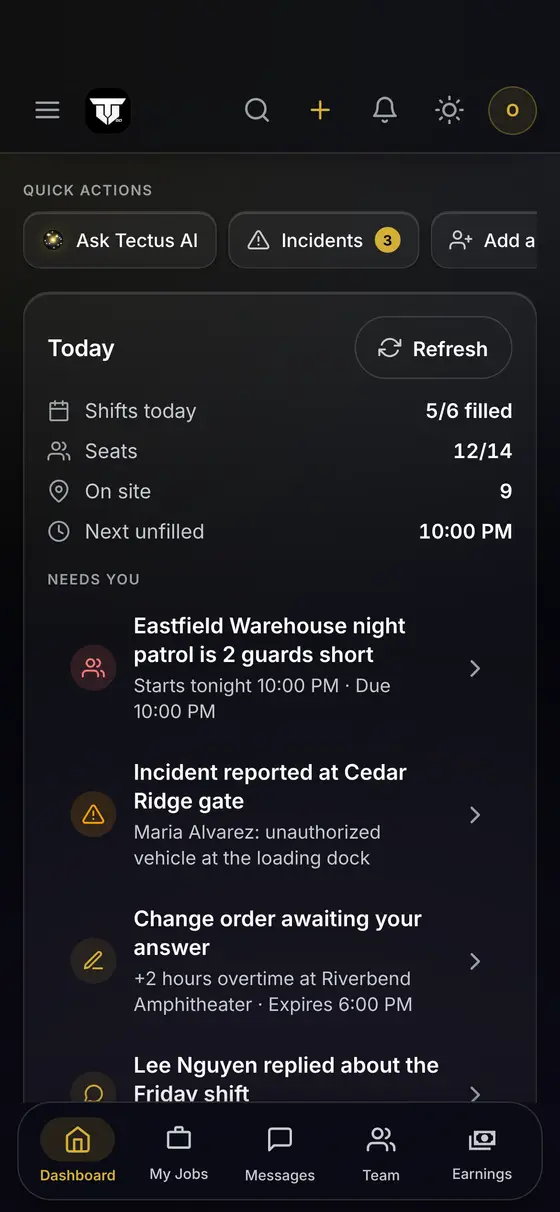
See today’s shifts, who is on site and which still need a guard. Track time off and availability.
Schedules, time clock and incidents for security companies. Shifts and open work for guards. One board to find work and guards, and Tectus AI (beta) to help fill shifts.
Already have an account? Sign inWant to look around first? Try the demo
Prefer not to text? See the sample here, or sign up with the buttons above.
Dock 4 · 10 PM – 6 AM
Screens and illustration use sample data.
See today’s shifts, who is on site and which still need a guard. Track time off and availability.
Guards clock in and out in the app. You see who is on post, and how hours compare to the schedule.
Start from Federal, California, Daily 8 or Daily 12, or set your own. Your company decides what applies.
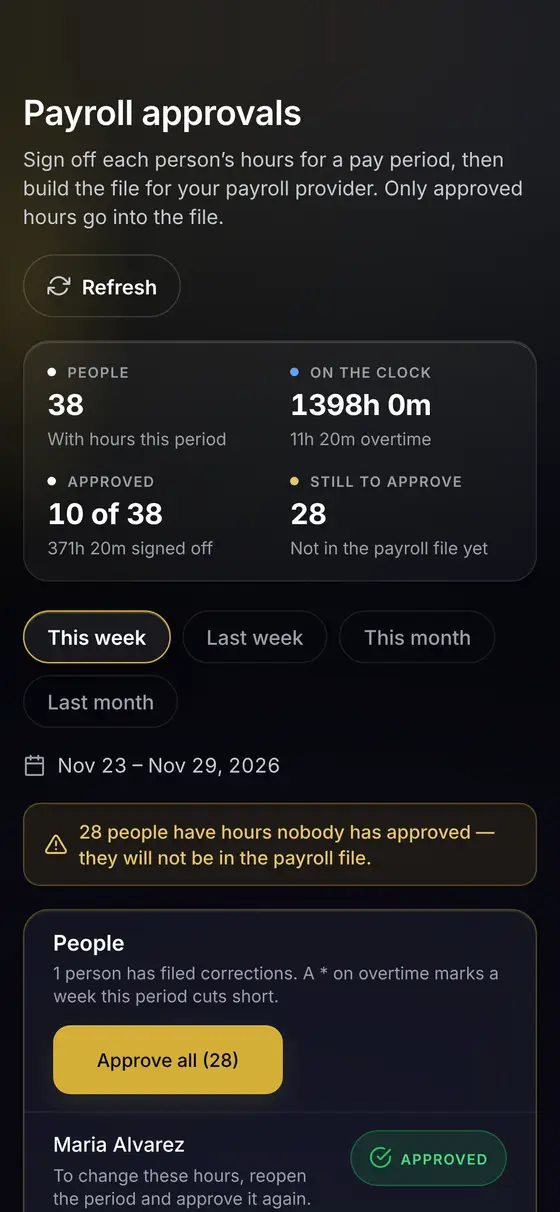
Approve each person’s hours for a pay period, then export the file for payroll. Only approved hours go in.
See what guards file from their posts. Acknowledge it, respond and close it out.
Keep company and guard documents in one place. See which licenses and documents are expired or about to be.
Message your guards and your office team inside the app.
Build forms, assign them to guards and read what comes back.
Tags guards scan on patrol. Standing instructions for each post, and who has read them.
Post work, browse other companies’ posts, and put a shift on the network board when you need cover. How the board works
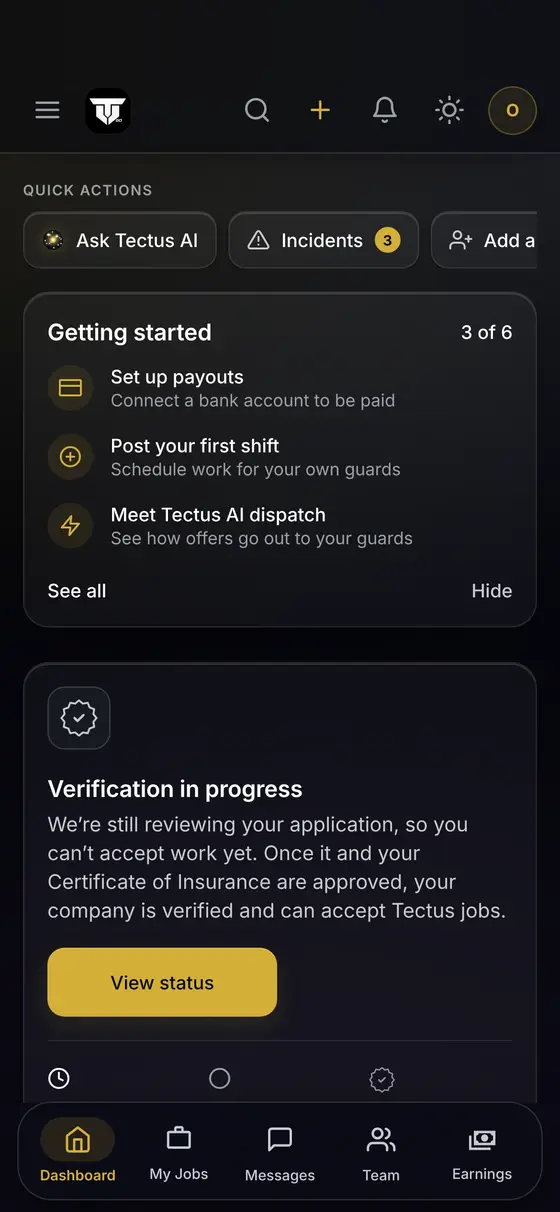
Shifts filled, guards on site, and what needs you, most urgent first.
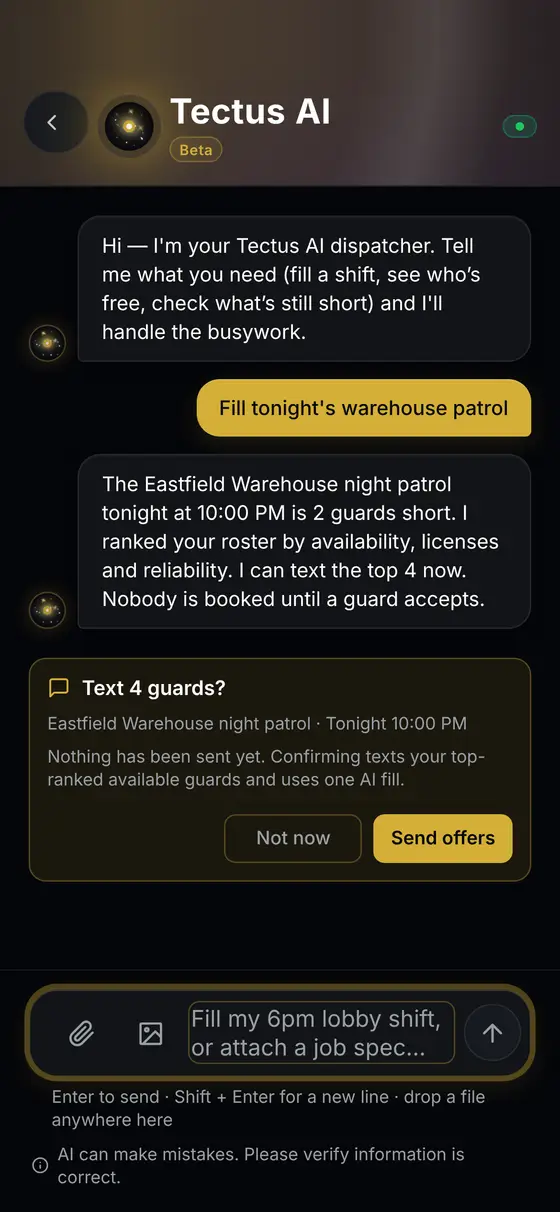
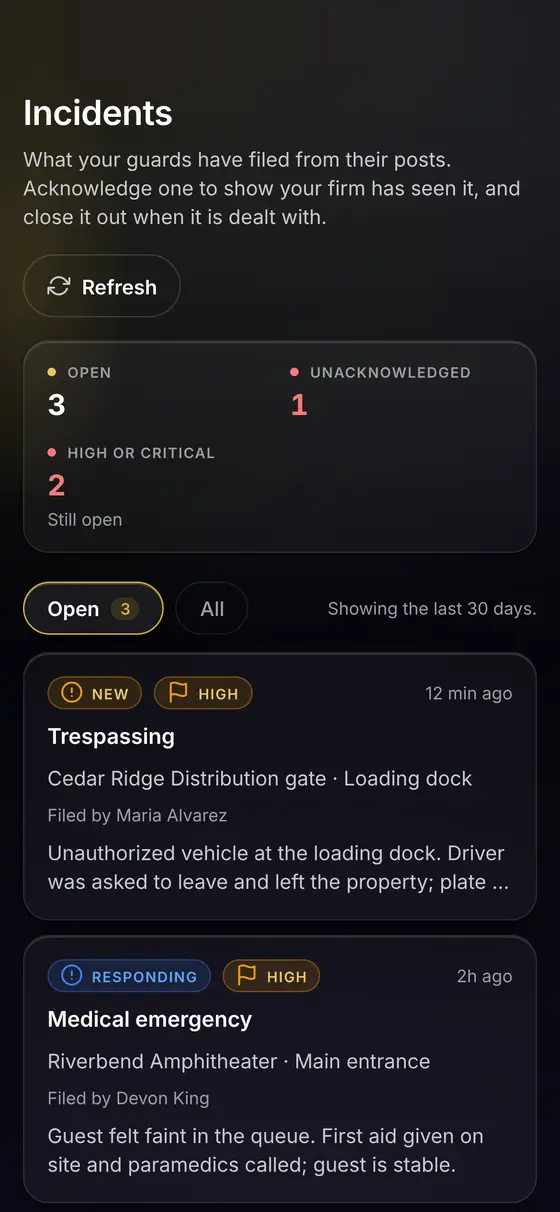
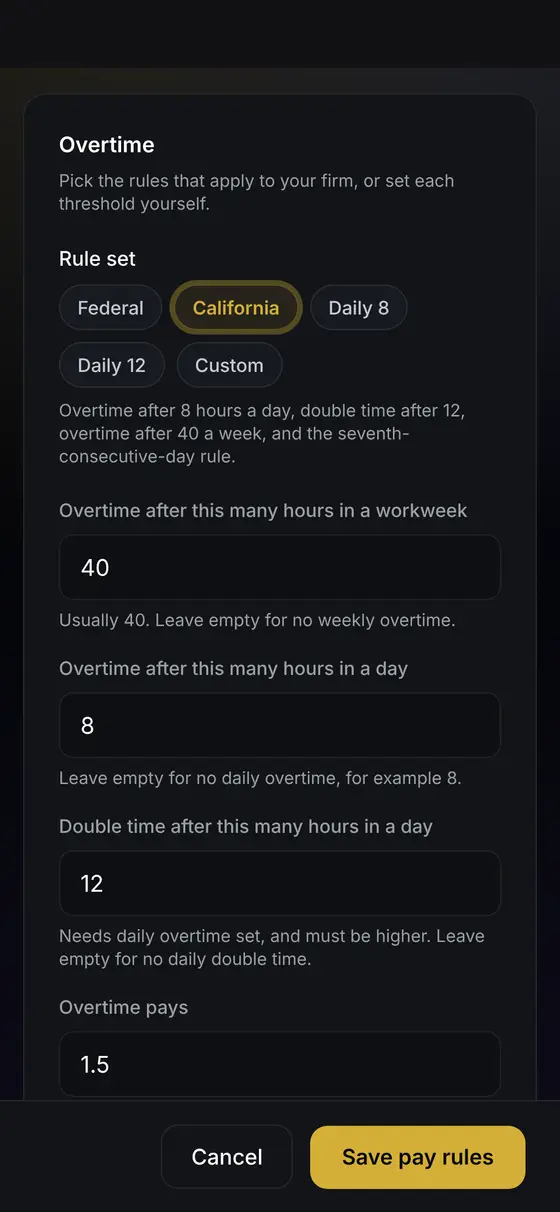
Sample data. Tectus AI is in beta.
Your schedule is on your phone. Open a shift to see the details, then accept it.
Clock in when you arrive and out when you leave, right from the shift.
Keep your profile, license and documents in one place, and see a reminder when your license is about to expire.
Browse Tectus jobs and company posts in one feed. Filter by service, armed or unarmed, and pay. How the board works
File an incident from your post and fill in the forms your company sends you.
Message your company and your team inside the app.
Run a security company? See the demo.
Post work you need covered, or browse what others have posted. Companies and guards both use it, and it’s free to post.
Contact details stay private until a poster accepts a response. Payment is between you and the poster: Tectus doesn’t process payments for posts. A badge marks companies approved on Tectus. Companies without one can post too, so check who you’re working with.
Denver, CO · Sat, 6 PM – 2 AM
$30/hr · Unarmed
Open to companies and individuals
Phoenix, AZ · Ongoing, nights
Pay to agree · Armed
Open to companies
Denver, CO · Weeknights, 10 PM – 6 AM
$26/hr · Armed
Open to individuals
Seattle, WA · Sat and Sun, 9 AM – 5 PM
$22/hr · Unarmed
Open to companies and individuals
Phoenix, AZ · Fri, 4 PM – 11 PM
Pay to agree · Unarmed
Open to individuals
Seattle, WA · Nightly, 8 PM – 4 AM
$24/hr · Armed
Open to companies and individuals
No sample posts match. Try another city or service.
Made-up examples to show how the board looks. Pay and terms are set by the poster.
An optional dispatcher for your own roster. It suggests guards for an open shift and can offer them the work. A guard fills the seat by saying yes.
Tectus AI can make mistakes, so check what it suggests. It’s an optional add-on, separate from the pricing below.
Friday night at the warehouse is 2 guards short. I ranked your roster by availability, license and reliability. These are the top 3.
Text these 3 guards? Nothing is sent until you confirm. A guard fills a seat only by saying yes.
An example with made-up details. Nothing here is a real guard or shift.
Pricing is for companies. Guards never pay. No contracts.
| Active guards in a month | Price each |
|---|---|
| First 10 | Free |
| 11 to 100 | $3 a month |
| Above 100 | $2 a month |
An active guard is one who worked with your team that month. Guards you added who didn’t work aren’t counted.
Tectus AI is an optional add-on, separate from this pricing. What it does
25 active guards: about $45 a month. Estimate, billed monthly on the guards you actually used.
Want to see it first? Try the demo.
An active guard is a guard who worked with your team in that month. If you add someone and they don’t work a shift, they don’t count. The first 10 each month are free.
No. Guards use Tectus GO for free. Only the company pays, and only for its active guards after the first 10.
Yes. Invite your guards by email, or upload a list from a spreadsheet. They sign in with their own account, and you schedule them like any other guard.
Your company’s schedules, timesheets and records are kept in your company’s account. A guard who works for more than one company has a separate record at each, and one company doesn’t see another’s.
No. Tectus AI is an optional add-on in beta, separate from the pricing above. Request access to ask about it.
Once you are signed in, go to Account and open Help to message Tectus. Want to see it working first? Try the demo or write to sales@tectusapp.com.
Create an account in a few minutes. Free for your first 10 active guards, and free for every guard.
Prefer not to text? See the sample here, or sign up with the buttons above.
Already have an account? Sign inTry the demoApp StoreGoogle Play